<?xml version="1.0" encoding="UTF-8"?><rss version="2.0"
	xmlns:content="http://purl.org/rss/1.0/modules/content/"
	xmlns:dc="http://purl.org/dc/elements/1.1/"
	xmlns:atom="http://www.w3.org/2005/Atom"
	xmlns:sy="http://purl.org/rss/1.0/modules/syndication/"
		>
<channel>
	<title>Comments for MacoLabels.com</title>
	<atom:link href="http://macolabels.com/wordpress/?feed=comments-rss2" rel="self" type="application/rss+xml" />
	<link>http://macolabels.com/wordpress</link>
	<description>A blog about Quality Maco Labels, cards, tags, and general topics</description>
	<lastBuildDate>Wed, 02 May 2012 08:19:09 +0000</lastBuildDate>
	<sy:updatePeriod>hourly</sy:updatePeriod>
	<sy:updateFrequency>1</sy:updateFrequency>
	<generator>http://wordpress.org/?v=3.3.1</generator>
	<item>
		<title>Comment on Inkscape &#8211; How to make a cut out of a pattern by HappyUser</title>
		<link>http://macolabels.com/wordpress/?p=691&#038;cpage=1#comment-17461</link>
		<dc:creator>HappyUser</dc:creator>
		<pubDate>Wed, 02 May 2012 08:19:09 +0000</pubDate>
		<guid isPermaLink="false">http://macolabels.com/wordpress/?p=691#comment-17461</guid>
		<description>This is a very nice and easy way to perform cuts in Inkscape. Thanks a lot for this tutorial. 

Regards</description>
		<content:encoded><![CDATA[<p>This is a very nice and easy way to perform cuts in Inkscape. Thanks a lot for this tutorial. </p>
<p>Regards</p>
]]></content:encoded>
	</item>
	<item>
		<title>Comment on File Folder Labels, Templates for small sheets by admin</title>
		<link>http://macolabels.com/wordpress/?p=931&#038;cpage=1#comment-15799</link>
		<dc:creator>admin</dc:creator>
		<pubDate>Fri, 17 Feb 2012 17:26:37 +0000</pubDate>
		<guid isPermaLink="false">http://macolabels.com/wordpress/?p=931#comment-15799</guid>
		<description>Hi Jackie,

We do have a template:
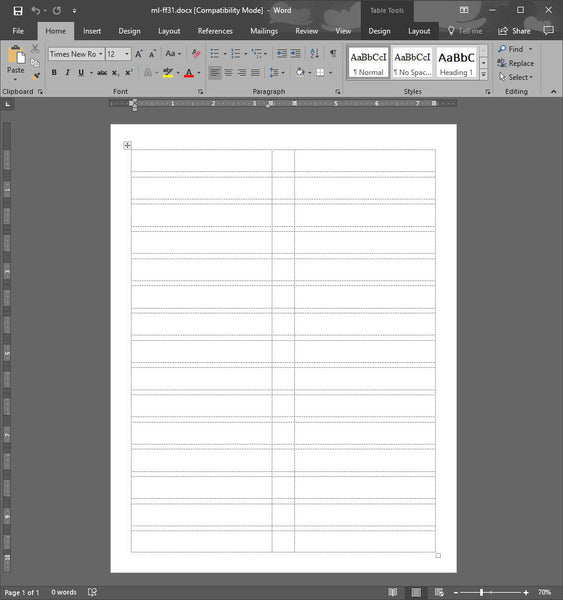
https://macolabels.com/templates/ml-ff31.doc
it&#039;s the same layout as the ml-ff30
Also, if you prefer, you can use any of the avery equivalents: 5066, 5166, 5266, 5666, 5766, 5866

Thanks,

Vinny</description>
		<content:encoded><![CDATA[<p>Hi Jackie,</p>
<p>We do have a template:<br />
<a href="https://macolabels.com/templates/ml-ff31.doc" rel="nofollow">https://macolabels.com/templates/ml-ff31.doc</a><br />
it&#8217;s the same layout as the ml-ff30<br />
Also, if you prefer, you can use any of the avery equivalents: 5066, 5166, 5266, 5666, 5766, 5866</p>
<p>Thanks,</p>
<p>Vinny</p>
]]></content:encoded>
	</item>
	<item>
		<title>Comment on File Folder Labels, Templates for small sheets by JACKIE COLLIER</title>
		<link>http://macolabels.com/wordpress/?p=931&#038;cpage=1#comment-15798</link>
		<dc:creator>JACKIE COLLIER</dc:creator>
		<pubDate>Fri, 17 Feb 2012 16:51:43 +0000</pubDate>
		<guid isPermaLink="false">http://macolabels.com/wordpress/?p=931#comment-15798</guid>
		<description>Is there a template in Word 2010 for ML-FF30?</description>
		<content:encoded><![CDATA[<p>Is there a template in Word 2010 for ML-FF30?</p>
]]></content:encoded>
	</item>
	<item>
		<title>Comment on SVG graphics in Microsoft Word by admin</title>
		<link>http://macolabels.com/wordpress/?p=995&#038;cpage=1#comment-15672</link>
		<dc:creator>admin</dc:creator>
		<pubDate>Tue, 14 Feb 2012 15:57:04 +0000</pubDate>
		<guid isPermaLink="false">http://macolabels.com/wordpress/?p=995#comment-15672</guid>
		<description>Hi Chris,
Not sure what happened with your logo. Did you save your SVG as a PNG ?, because that could cause jaggies. Also if you use the blur or transparent features in Inkscape, that could cause problems as well.</description>
		<content:encoded><![CDATA[<p>Hi Chris,<br />
Not sure what happened with your logo. Did you save your SVG as a PNG ?, because that could cause jaggies. Also if you use the blur or transparent features in Inkscape, that could cause problems as well.</p>
]]></content:encoded>
	</item>
	<item>
		<title>Comment on SVG graphics in Microsoft Word by Chris</title>
		<link>http://macolabels.com/wordpress/?p=995&#038;cpage=1#comment-15601</link>
		<dc:creator>Chris</dc:creator>
		<pubDate>Sun, 12 Feb 2012 21:49:09 +0000</pubDate>
		<guid isPermaLink="false">http://macolabels.com/wordpress/?p=995#comment-15601</guid>
		<description>I tried your method for a logo that I made up, but the everything came out fuzzy/jagged. Any ideas on why this happened?</description>
		<content:encoded><![CDATA[<p>I tried your method for a logo that I made up, but the everything came out fuzzy/jagged. Any ideas on why this happened?</p>
]]></content:encoded>
	</item>
	<item>
		<title>Comment on MR-505 5/16 Circle Labels On Small Sheet by admin</title>
		<link>http://macolabels.com/wordpress/?p=1059&#038;cpage=1#comment-10542</link>
		<dc:creator>admin</dc:creator>
		<pubDate>Thu, 20 Oct 2011 14:02:49 +0000</pubDate>
		<guid isPermaLink="false">http://macolabels.com/wordpress/?p=1059#comment-10542</guid>
		<description>Hi Rock,

We only sell them in 1000 count packs.

Thanks,
Vinny at macolabels dot com</description>
		<content:encoded><![CDATA[<p>Hi Rock,</p>
<p>We only sell them in 1000 count packs.</p>
<p>Thanks,<br />
Vinny at macolabels dot com</p>
]]></content:encoded>
	</item>
	<item>
		<title>Comment on MR-505 5/16 Circle Labels On Small Sheet by Rock Currier</title>
		<link>http://macolabels.com/wordpress/?p=1059&#038;cpage=1#comment-10488</link>
		<dc:creator>Rock Currier</dc:creator>
		<pubDate>Tue, 18 Oct 2011 23:34:36 +0000</pubDate>
		<guid isPermaLink="false">http://macolabels.com/wordpress/?p=1059#comment-10488</guid>
		<description>Hello,
We use a lot of your little price dots MR-505  5/16&quot; diameter. Be buy them in bundles of ten packages of 1000 labels each. Can we buy them in packages of 10,000 each or 100,000 each?
Rock</description>
		<content:encoded><![CDATA[<p>Hello,<br />
We use a lot of your little price dots MR-505  5/16&#8243; diameter. Be buy them in bundles of ten packages of 1000 labels each. Can we buy them in packages of 10,000 each or 100,000 each?<br />
Rock</p>
]]></content:encoded>
	</item>
	<item>
		<title>Comment on About Macolabels.com by admin</title>
		<link>http://macolabels.com/wordpress/?page_id=270&#038;cpage=1#comment-7174</link>
		<dc:creator>admin</dc:creator>
		<pubDate>Thu, 14 Jul 2011 14:19:32 +0000</pubDate>
		<guid isPermaLink="false">http://macolabels.com/wordpress/?page_id=270#comment-7174</guid>
		<description>Hi Roberto, we are a distributor of Maco Labels, we are not the manufacturer but we try to help our customers when we can. If you are using Microsoft Word the process for creating labels with consecutive numbers on them should be similar. If you have a large number of labels, then you should do a mail merge. If you don’t know how to do a mail merge, you should familiarize yourself with that.:
http://office.microsoft.com/en-us/excel-help/print-labels-by-using-excel-data-in-a-word-mail-merge-HP005203760.aspx?CTT=1

Create an Excel worksheet with your consecutive numbers in one field, then merge that with a primary document that contains only that field.
I hope this helps.</description>
		<content:encoded><![CDATA[<p>Hi Roberto, we are a distributor of Maco Labels, we are not the manufacturer but we try to help our customers when we can. If you are using Microsoft Word the process for creating labels with consecutive numbers on them should be similar. If you have a large number of labels, then you should do a mail merge. If you don’t know how to do a mail merge, you should familiarize yourself with that.:<br />
<a href="http://office.microsoft.com/en-us/excel-help/print-labels-by-using-excel-data-in-a-word-mail-merge-HP005203760.aspx?CTT=1" rel="nofollow">http://office.microsoft.com/en-us/excel-help/print-labels-by-using-excel-data-in-a-word-mail-merge-HP005203760.aspx?CTT=1</a></p>
<p>Create an Excel worksheet with your consecutive numbers in one field, then merge that with a primary document that contains only that field.<br />
I hope this helps.</p>
]]></content:encoded>
	</item>
	<item>
		<title>Comment on About Macolabels.com by roberto</title>
		<link>http://macolabels.com/wordpress/?page_id=270&#038;cpage=1#comment-7155</link>
		<dc:creator>roberto</dc:creator>
		<pubDate>Thu, 14 Jul 2011 03:49:33 +0000</pubDate>
		<guid isPermaLink="false">http://macolabels.com/wordpress/?page_id=270#comment-7155</guid>
		<description>how do I make consecutive numbers on each label? I am on MAC operating system.</description>
		<content:encoded><![CDATA[<p>how do I make consecutive numbers on each label? I am on MAC operating system.</p>
]]></content:encoded>
	</item>
	<item>
		<title>Comment on SVG graphics in Microsoft Word by admin</title>
		<link>http://macolabels.com/wordpress/?p=995&#038;cpage=1#comment-7108</link>
		<dc:creator>admin</dc:creator>
		<pubDate>Wed, 13 Jul 2011 15:32:53 +0000</pubDate>
		<guid isPermaLink="false">http://macolabels.com/wordpress/?p=995#comment-7108</guid>
		<description>Well, normally if I want to edit the document, and I&#039;ve misplaced the original, I just copy it from the Word Document and then paste it back into Inkscape. I don&#039;t know of anything that will let you interactively edit an SVG within Word.</description>
		<content:encoded><![CDATA[<p>Well, normally if I want to edit the document, and I&#8217;ve misplaced the original, I just copy it from the Word Document and then paste it back into Inkscape. I don&#8217;t know of anything that will let you interactively edit an SVG within Word.</p>
]]></content:encoded>
	</item>
</channel>
</rss>